
Upload content to Media Library
This section provides a brief introduction to the main topic discussed in the article, highlighting its significance and relevance.
Media Library Overview
This is where all your uploaded and created media is stored. The media library has many tools for organizing and editing your media files.
-
Media library tab bar
-
Drop zone
-
Media preview
-
List of media files
-
New media button
-
Media options

Uploading you own media
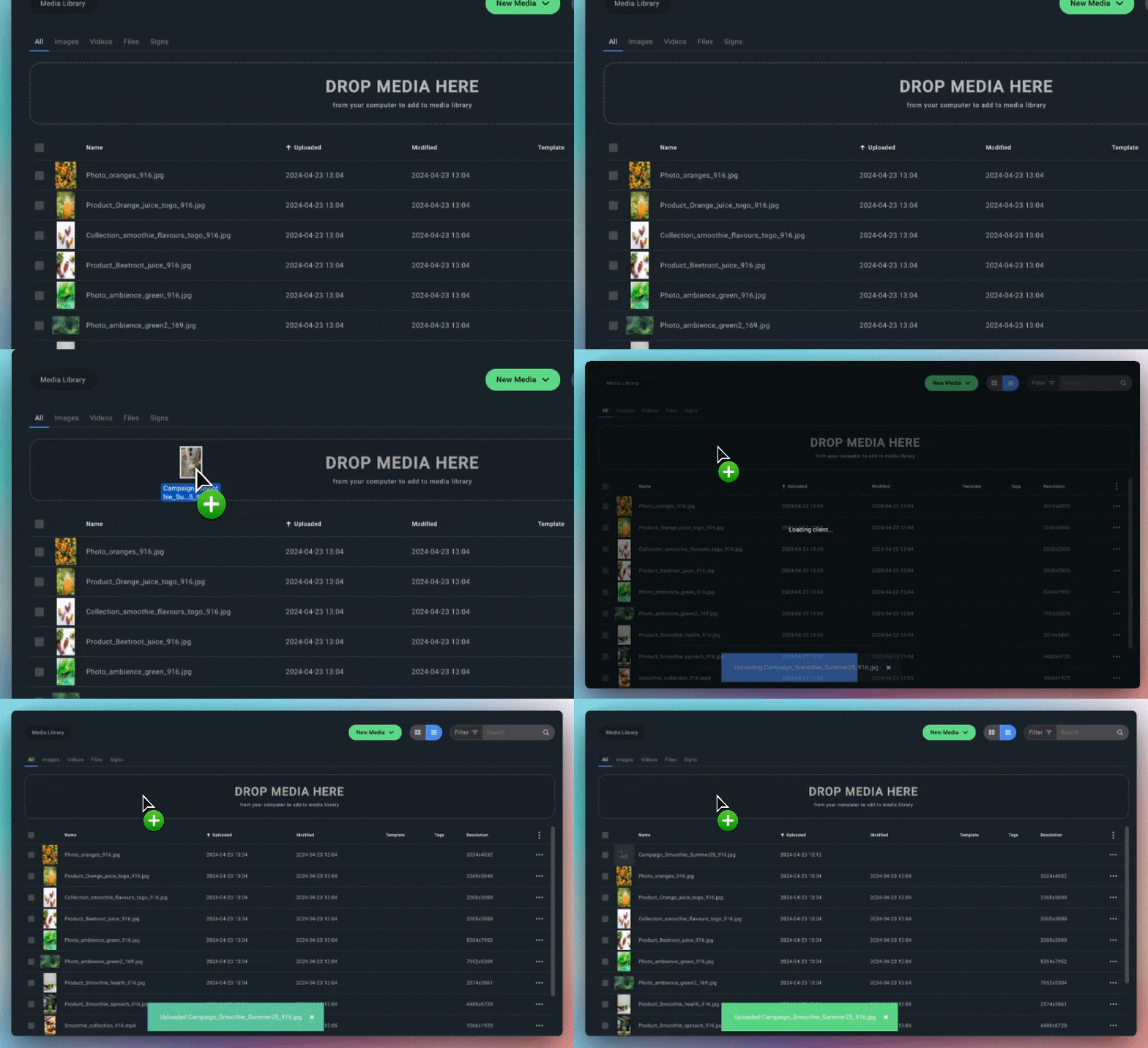
You can upload media by dragging files from your computer to the media drop zone, or press the "New media" button and select "upload media". IXM Aqua supports the following formats:

✅ Supported media formats:
-
Video: mp4
-
Images: JPG, PNG
-
Maximum file size: 500 MB
Note: For Portrait and Landscape screens recommended resolution is Full HD (1080×1920 and 1920×1080 px).
Previewing media
Click the media thumbnails or media name to open a preview of selected media file.
Modifying images
You can crop, rotate and manipulate image files by clicking "edit" in the options dropdown. A new window will open up with tools for modifying the image.

Tagging and organising media
Using media tags is a great way of categorise and organise your content. In combination with saved filters is a great way to keep your media organised. Tag media by clicking "tags" on a media item. Input desired tag name and press the "add new... "-button to create a tag. Tags are shown in the "tags" column.


Learn how to tag multiple media files and set up a new filter only showing tagged files
Media tags are searchable. So whenever you are in need of a specific media - simply search for the tag name and all media with that tag will show up. Again - organisation and a good naming strategy is key here, so try to use simple short names for tags such as "menu", "food", "week 24", "campaign X" to make them easy to find and quickly searchable.

❗ Deleting media
Think twice before deleting media in the media library. If a media file currently playing on a screen is removed – it will also be removed from that screen.